


Stick vs Zombies: Platformer
4.42.14K Reviews
App Specs
- Version
- 1.6.6
- Updated On
- License
- Free
- Downloads
- 50,000,000+
- Developer
- Aurecas Games
- Categories
- Action
- Platform
- Android
Screenshots
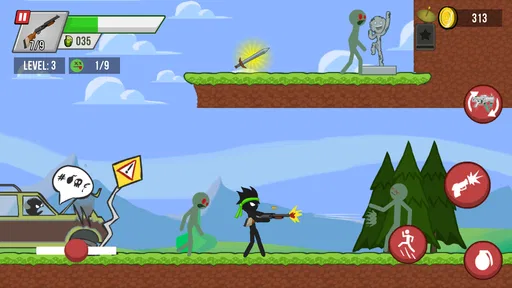
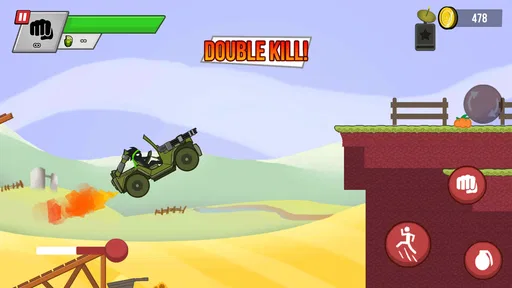
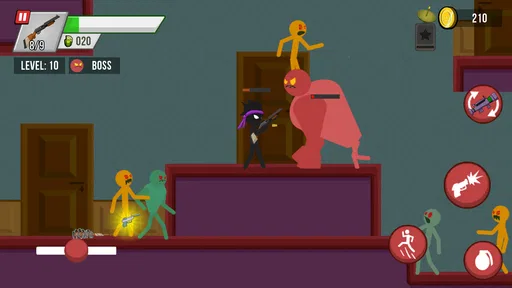
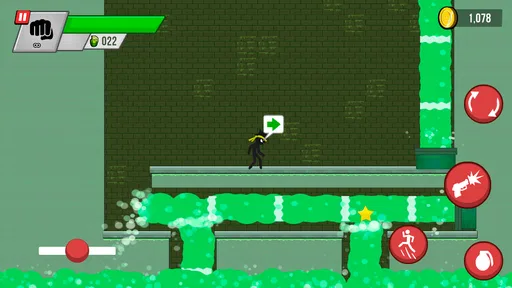
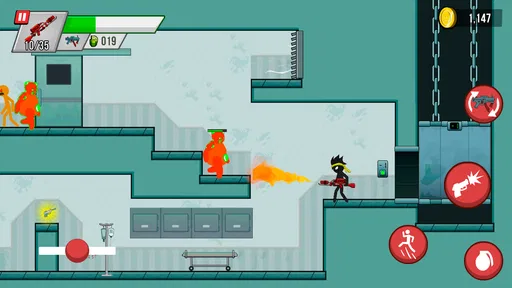
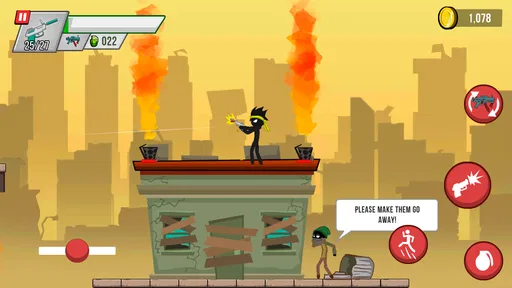
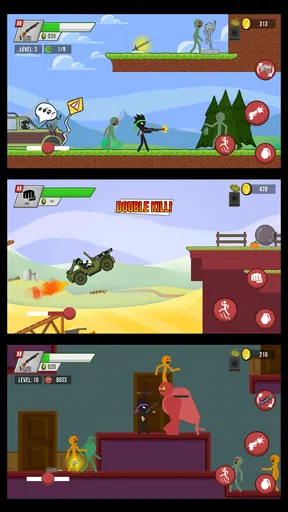
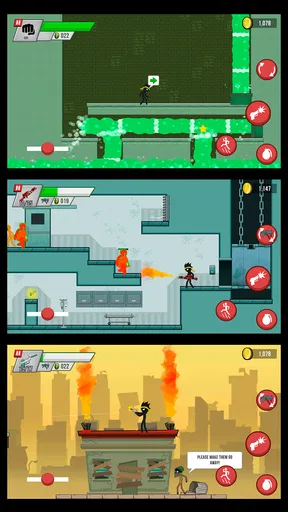
 Analysis by AppCompare
If you're looking for an adrenaline-packed adventure with a dash of humor, let me introduce you to Stick vs Zombies: Platformer. This game blends platforming action with a zombie apocalypse in a way that's surprisingly entertaining. So, let's dive into what makes this game a must-try for fans of the genre.
Gameplay That Keeps You Hooked
Right off the bat, Stick vs Zombies: Platformer pulls you in with its straightforward yet addictive gameplay. You're a stick figure tasked with surviving waves of zombies across various levels. Sounds simple, right? Well, the challenge ramps up quickly, making every level a test of your reflexes and strategy.
The controls are intuitive, which is a huge plus. You can effortlessly jump, dodge, and attack with just a few taps. The learning curve is gentle, but don’t be fooled; the game gets progressively harder, keeping you on your toes. It’s this balance between accessibility and challenge that makes the game so engaging.
Visuals and Sound
The graphics are minimalist but effective. The stick figure style might seem basic, but it adds a unique charm to the game. The environments are well-designed, offering just enough detail to keep things interesting without overwhelming your phone’s processor. Plus, the animations are smooth, which is crucial for a platformer.
As for the sound, the game features a catchy soundtrack that complements the action perfectly. The zombie groans and explosions are satisfyingly exaggerated, adding to the overall fun. It’s the kind of sound design that makes you want to keep your headphones on.
Levels and Challenges
One of the game's strong points is its variety of levels. Each stage introduces new obstacles and enemies, ensuring that you never get bored. From jumping over pits to battling hordes of zombies, every level poses a unique challenge.
The developers have also included special missions and achievements, which add an extra layer of replayability. Whether you’re trying to beat your high score or unlock a new weapon, there’s always something to strive for.
Worth Reading Before You Choose

EA SPORTS FC Mobile 26 Is a Bigger Football Game, but It Takes Time

Flipboard Shows What News Apps Must Do Beyond the Feed

Switching to Android Auto Means Rethinking Your Driving Routine

Google Calendar Makes a Crowded Week Easier to Manage

Ludo King Makes the Most of the Minutes Between Plans

Baby Panda World Brings Quick Play to Modern Phones, but Its Game Library Feels Busy
Weapons and Power-Ups
What's a zombie game without some awesome weapons? Stick vs Zombies: Platformer doesn’t disappoint here. You start with basic melee attacks, but as you progress, you can unlock an arsenal of weapons ranging from shotguns to explosive projectiles.
Power-ups are scattered throughout the levels, providing temporary boosts that can turn the tide in your favor. Whether it’s a speed boost or a shield, these power-ups are crucial for surviving the tougher stages.
In-App Purchases and Ads
Now, let’s talk about the elephant in the room—in-app purchases and ads. The game is free to download, which means it does feature ads. However, they’re not too intrusive, and you can opt for a premium version to remove them if they bother you. As for in-app purchases, they’re mostly for cosmetic items and extra weapons, which are nice to have but not necessary to enjoy the game.
Final Thoughts
Overall, Stick vs Zombies: Platformer is a fantastic choice for anyone who loves action-packed platformers with a twist. Its engaging gameplay, charming graphics, and killer soundtrack make it a standout title in the mobile gaming world.
If you're ready to take on the zombie apocalypse with a stick figure hero, give this game a download. It's a perfect way to kill some time—pun intended. So, grab your phone, and get ready to jump, dodge, and smash your way to victory!
Pros
- Engaging and challenging gameplay.
- Intuitive controls with a smooth interface.
- Creative level designs and graphics.
- Regular updates with new features.
- Offline play mode available.
Cons
- In-app purchases can be costly.
- Occasional ads disrupt gameplay.
- Battery consumption is high.
- Limited character customization.
- Requires frequent updates.
FAQs for Stick vs Zombies: Platformer
What is Stick vs Zombies: Platformer about?
Stick vs Zombies: Platformer is an action-packed mobile game where players navigate through various levels filled with obstacles and waves of zombies. The objective is to survive and defeat zombies using an array of weapons and power-ups. The game combines platforming elements with strategic combat, offering a thrilling experience for players.
Is Stick vs Zombies: Platformer free to play?
Yes, Stick vs Zombies: Platformer is free to download and play. However, it offers in-app purchases for players who wish to enhance their gameplay experience. These purchases can include additional weapons, character upgrades, and cosmetic items. While optional, they can provide a significant advantage in tougher levels.
What are the system requirements for Stick vs Zombies: Platformer?
Stick vs Zombies: Platformer requires iOS 11.0 or later for Apple devices and Android 5.0 or higher for Android devices. Ensure you have sufficient storage space available, as the game can be graphics-intensive and may require additional resources for updates and downloads. A stable internet connection is recommended for the best experience.
Does Stick vs Zombies: Platformer support multiplayer mode?
Currently, Stick vs Zombies: Platformer is a single-player experience. The game focuses on individual skill and strategy as you progress through the levels. However, future updates may include multiplayer features or leaderboards, allowing players to compete with friends or others around the world.
How can I report bugs or issues in Stick vs Zombies: Platformer?
If you encounter any bugs or issues, you can report them through the app’s support section. Navigate to the settings menu and select 'Contact Support' to describe your problem. Providing detailed information about the issue will help the developers address and fix it in upcoming updates.


